01
Restaurant kiosk software
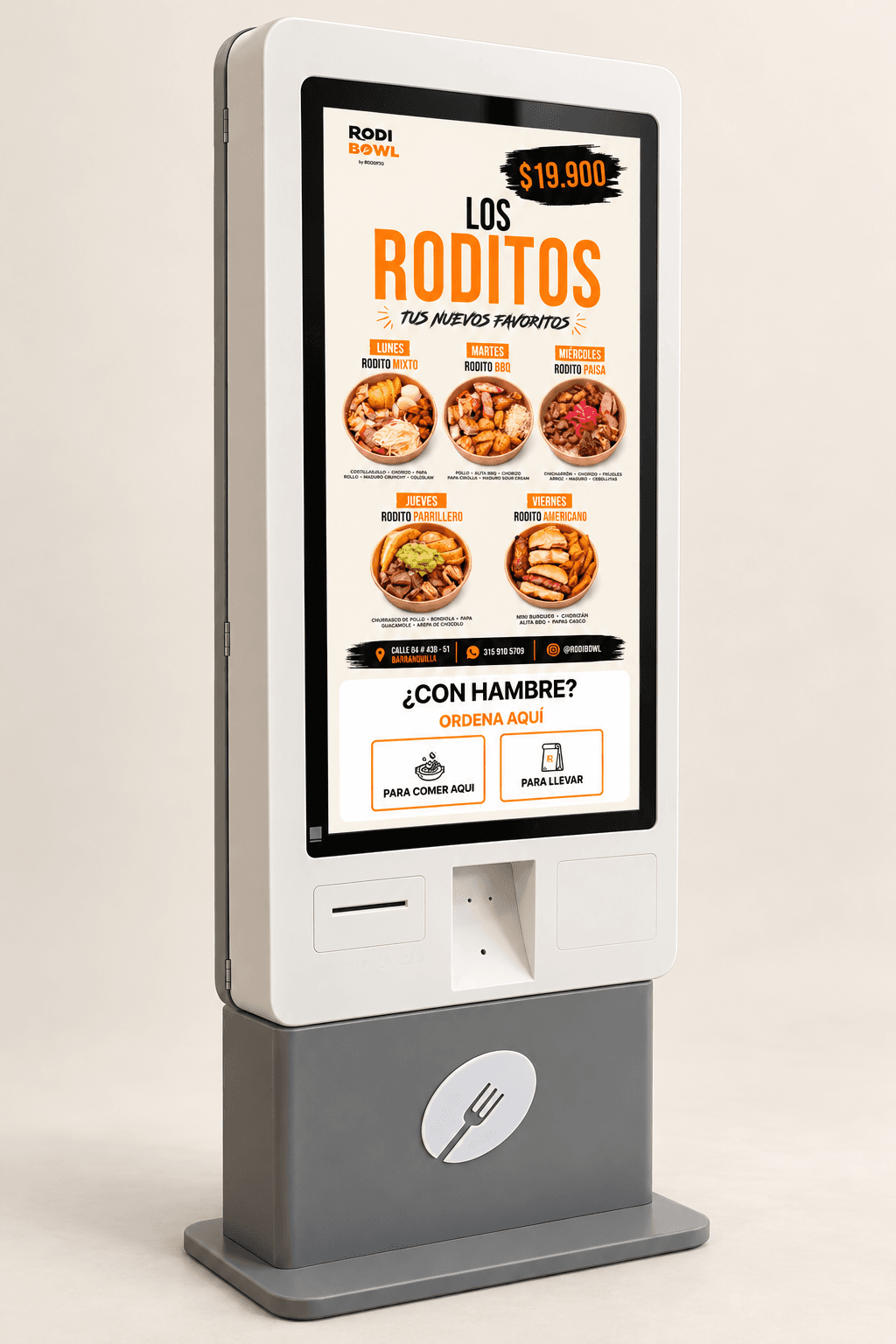
Visual menus, ingredients, extras and selection rules. Customers review their cart and choose dine-in or takeaway; we connect orders to the restaurant systems available.
Clear choices that follow your menu rules.

KIOSK SOFTWARE IN COLOMBIA
We build software that lets customers choose, customize and confirm orders on a touchscreen. Connect self-service with your catalog, payments and business systems in Barranquilla and across Colombia.
A JOURNEY CUSTOMERS CAN COMPLETE
A self-service kiosk combines a public-facing screen, an application and the connections needed to complete a task. We design each step so customer choices reach your operation.
Visual menus, ingredients, extras and selection rules. Customers review their cart and choose dine-in or takeaway; we connect orders to the restaurant systems available.
Build journeys to browse products, configure options and request or buy within the agreed scope. Review pricing, availability and connections to your POS, ecommerce or ERP.
Develop visitor registration, service information or queue requests. Define required data, confirmation and connections to the tools your team uses.
BEYOND THE SCREEN
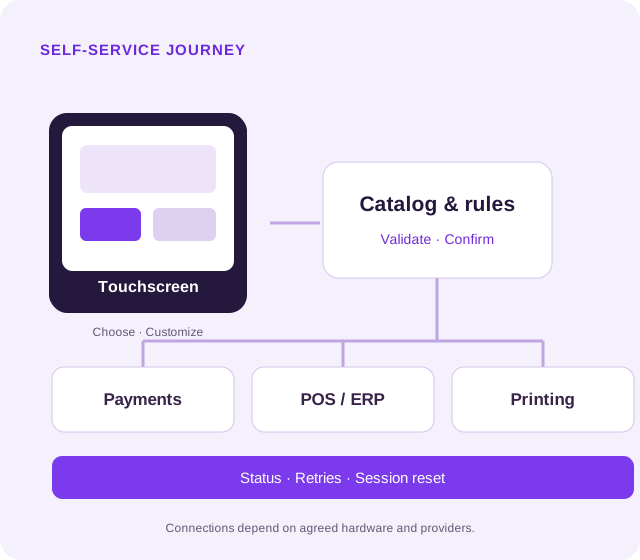
The kiosk needs to know what to sell, how to confirm and what to do when a connection fails. Separate the interface, business rules and integrations to follow the complete journey.
Manage products, options, prices and promotions. Validate selections and totals on the server, with permissions for catalog administrators.
Integrate compatible providers and terminals. Distinguish approved payments from confirmed orders and agree how to synchronize with the system serving the customer.
Test interruptions, retries and duplicate operations. Define recovery for pending actions and idle resets so the next customer cannot see the previous session's data.
A PROJECT WE DEVELOPED
A restaurant self-service platform with a visual bowl builder, catalog administration and connections to ordering, payments and printing on configured kiosks.
Capabilities shown belong to this project. Hardware and provider compatibility must be assessed for each new installation.
SOFTWARE, DEVICE AND SYSTEMS
Choose the implementation around available hardware, connectivity and providers. RodiBowl combines React, Vite, PHP, MySQL and a local printing service; another project may need a different architecture.
Legible buttons, clear steps and action confirmation. Adapt resolution, orientation and browser or operating system to agreed devices.
Catalog and configuration per location, with server-side validation and permissions. Define what your team can change and how to record those changes.
APIs for POS, ERP or ordering platforms where available. Terminals and gateways require compatibility, enabled accounts and testing with the provider.
Thermal receipts on compatible printers using ESC/POS or the provider's mechanism. Agree logs, alerts, retries and a procedure for network or peripheral failures.
This service focuses on software development. Kiosk purchase and physical installation, terminals, licenses, connectivity, fees and provider approvals are specified separately in the proposal. Offline operation needs a specific scope; it is not assumed for payments or orders.
FROM AN IDEA TO A VERIFIABLE PILOT
Agree what customers must be able to do and how your team receives the result. A pilot reviews the software on selected hardware before expanding the installation.
Review users, catalog, hardware, providers and connectivity. Define an initial journey and acceptance criteria.
Validate navigation, selection, cart and confirmation. Review touch targets, error messages and accessibility needs.
Connect agreed services and test on the device. Verify payments, orders, receipts, inactivity and recovery within scope.
Agree launch, configuration, training and responsibilities. Document maintenance, incidents and expansion to other locations.
SELF-SERVICE WITH LOCAL CONTEXT
Work with restaurants, retailers and service businesses that need self-service connected to their on-site operations.
Coordinate with your team and hardware, payment and business-system providers. On-site installation, visits and support coverage are agreed by location and scope; development and reviews can be coordinated remotely.
It is a digital point of service where someone completes a task through a screen, usually a touchscreen. We develop software for ordering, catalogs, customization, registration or information, plus agreed administration and integrations. The journey follows your business and selected hardware.
The offer focuses on custom software. We identify screen, device, operating-system, terminal and printer requirements and coordinate compatibility with your suppliers. Hardware purchase, manufacturing, assembly and installation are not included unless explicitly specified in the proposal.
We assess each platform's APIs, documentation, permissions and licenses before committing to integration. RodiBowl includes Yummi integration and SmartPOS payments for enabled kiosks. Those connections are project-specific: compatibility with other systems must be verified.
Yes, when enabled hardware and providers support it. Test approval, rejection, cancellation, timeouts and order confirmation. Printing requires a compatible printer and its connection or local service. An order receipt is not automatically an electronic tax invoice; invoicing integration is scoped separately.
Define messages, retries, tracking of pending operations and idle resets. The pilot checks these scenarios, including the state of an active payment before closing a session. Offline operation is not assumed: define which functions can continue and how to synchronize them without duplicate operations.
It depends on the journey, catalog, administration, device count, integrations, hardware and third-party testing. After reviewing those needs, we propose scope, stages and costs. Licenses, hardware, fees and support are identified separately; there is no single price or timeline that fits every project.
DESIGN YOUR SELF-SERVICE EXPERIENCE
Tell us how you serve customers today, what you want to bring to the kiosk and which devices or platforms you use. Define a pilot with a clear scope.
Request a software quoteOr reach us through contact