Restaurant software
Self-service kiosks for restaurants: ordering, payments and the RodiBowl project
In this article
A restaurant self-service kiosk needs more than an on-screen menu: it must turn customer choices into an order the business can fulfill. Software connects the catalog, customization rules, cart, payment and confirmation; hardware and providers determine which integrations are possible.
Tuimagen.Net developed RodiBowl, a bowl-ordering platform for physical kiosks and a web version. This guide explains its documented capabilities and a method for assessing your own project in Barranquilla or Colombia. We do not present unmeasured sales figures, queue reductions or commercial results.
What can restaurant kiosk software do?
It can display a visual menu, support ingredients and extras, calculate a cart, identify the order type and connect confirmation with operations. Card payments, thermal printing and synchronization with a POS or ordering platform require compatible equipment, enabled accounts and integration testing.
Before choosing a screen, write the complete journey: what customers can order, which choices are required, when they pay and where staff receive the order. A fixed-product restaurant and one offering custom recipes have different rules even when they use the same kiosk hardware.
RodiBowl: from a customized bowl to a confirmed order
Choose and customize. RodiBowl provides a catalog and visual bowl builder with ingredients and extras. Selection limits and prices are defined through configuration. The journey should explain incomplete choices and let customers review options before continuing.
Review and confirm. The cart organizes quantities and totals. Customers identify themselves and choose dine-in or takeaway. That decision is part of the order received by the restaurant and must survive the journey from interface to service system.
Apply catalog rules. The project supports administration of products, categories, images, prices and builder options. It includes daily fixed or percentage promotions and ingredient conditions, plus landing content by weekday and validity period. These are project capabilities, not a promise of automatic compatibility with any POS.
Payments and orders: two related confirmations
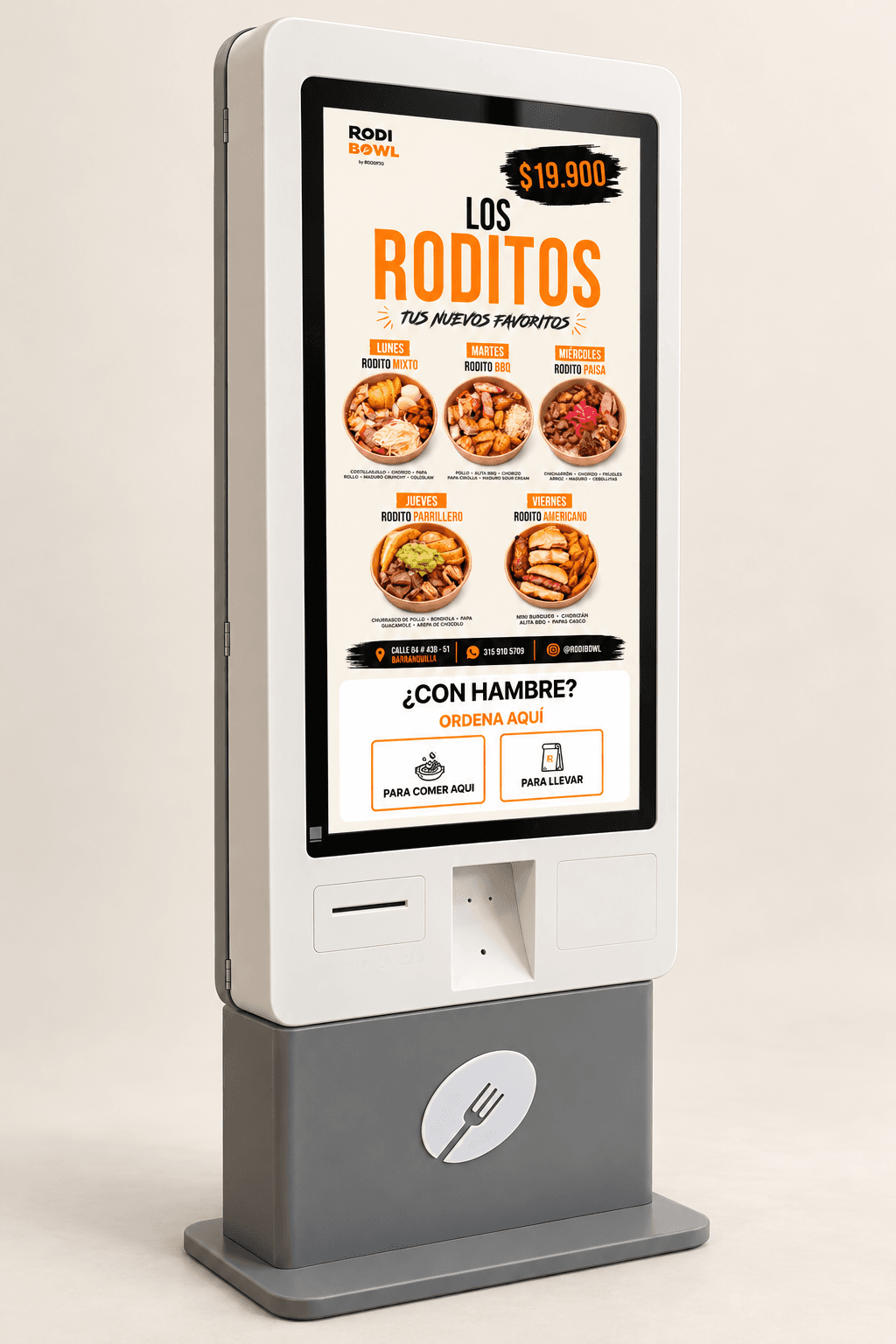
On enabled kiosks, RodiBowl integrates SmartPOS for card payments and Yummi for order synchronization. The web version supports payment at the cashier. For another restaurant, assess the provider, available APIs, accounts and device first: a vendor name does not mean all its terminals support the same journey.
An approved payment and a recorded order are different states. When connectivity fails after approval, charging again is not a solution. RodiBowl retains server-side finalization records to retry confirmation or synchronization without duplicating orders already saved. Recovery must check the actual state before repeating an action.
For a new pilot, prepare approval, rejection, cancellation, timeout and connection-loss scenarios. Define who reviews pending operations and what information staff have to resolve them. Acceptance means a verifiable journey, not just a “payment successful” screen.
Printing, inactivity and the next customer
RodiBowl supports ESC/POS thermal printing through a local service when enabled. Printer hardware, connectivity and kiosk configuration are part of the compatibility assessment. An order receipt does not itself provide electronic tax invoicing; that integration needs separate scope.
The project also resets idle sessions, canceling active transactions first where required by the flow. On a public device, the next customer needs a clean starting state. Test abandoned carts, network loss and an active transaction before defining session cleanup.
A checklist for scoping a self-service application
Operations: document the menu, required choices, prices, promotions and who can edit them. Define dine-in, takeaway or another journey the business actually fulfills.
Equipment and connections: identify the screen, resolution, orientation, operating system, payment terminal, printer and connectivity. Share existing systems and the access each provider will make available.
Pilot and support: agree on-device tests, error scenarios, incident owners, documentation and training. Separate software from hardware purchase, manufacturing, assembly and physical installation; identify licenses, fees and maintenance too.
Does a kiosk replace staff or work without internet?
Assume neither. Assisted service is still needed when someone requires help, payment fails or a request falls outside the journey. Design a service alternative and assess accessibility, legibility and control reach on the actual device.
Offline operation needs separately defined functions and synchronization. Do not promise offline payments or orders without checking equipment, providers and recovery. Start with a single-location pilot before deciding how to expand.
How to measure whether the pilot helps
Track orders started and completed, abandonment by step, payment incidents, synchronization errors and requests for assistance. Compare similar periods and conditions. These indicators help prioritize changes; do not attribute a sales improvement to the kiosk if promotions, opening hours or service capacity changed too.
Planning a kiosk application in Barranquilla or Colombia? Our self-service kiosk development service can assess the customer journey and required connections. Share your menu, available hardware and ordering system to define a pilot with clear scope and tests.
SEE THE PROJECT
RodiBowl
Explore the bowl builder, catalog administration, and ordering, payment and receipt capabilities documented for this project.
Sources and documentation
External source links open in a new tab.